
From screenshot to fixed ticket.
Everything your team needs: capture, annotate, triage, and resolve bugs without leaving your app.
One Dashboard, All Your Web Apps
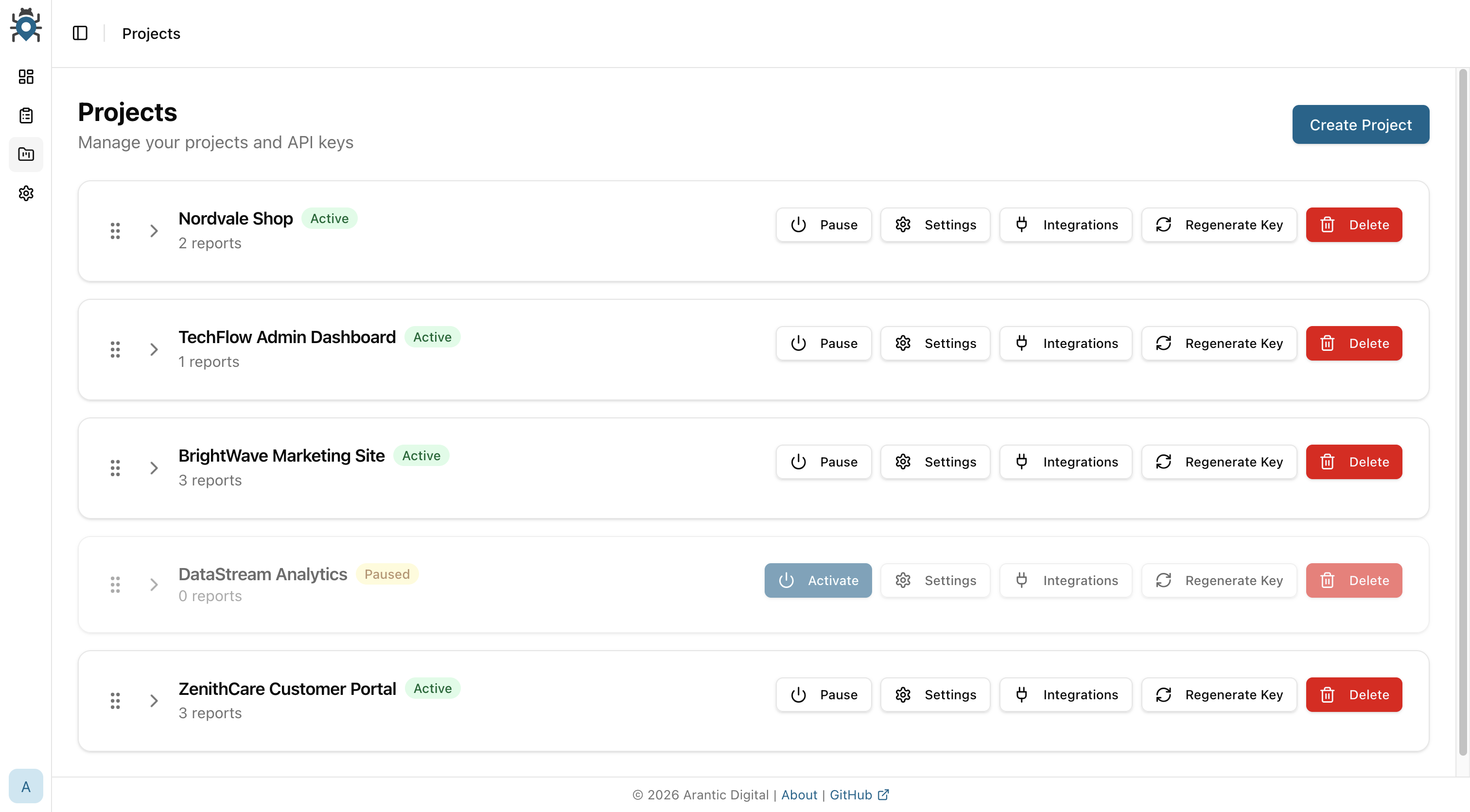
Each website or web application gets its own project in BugPin — with its own API key, widget config, and team permissions. Manage all of them from a single dashboard.
- One project per website or web app
- Auto-generated API keys per project
- Pause or activate projects individually
- Per-project notification settings
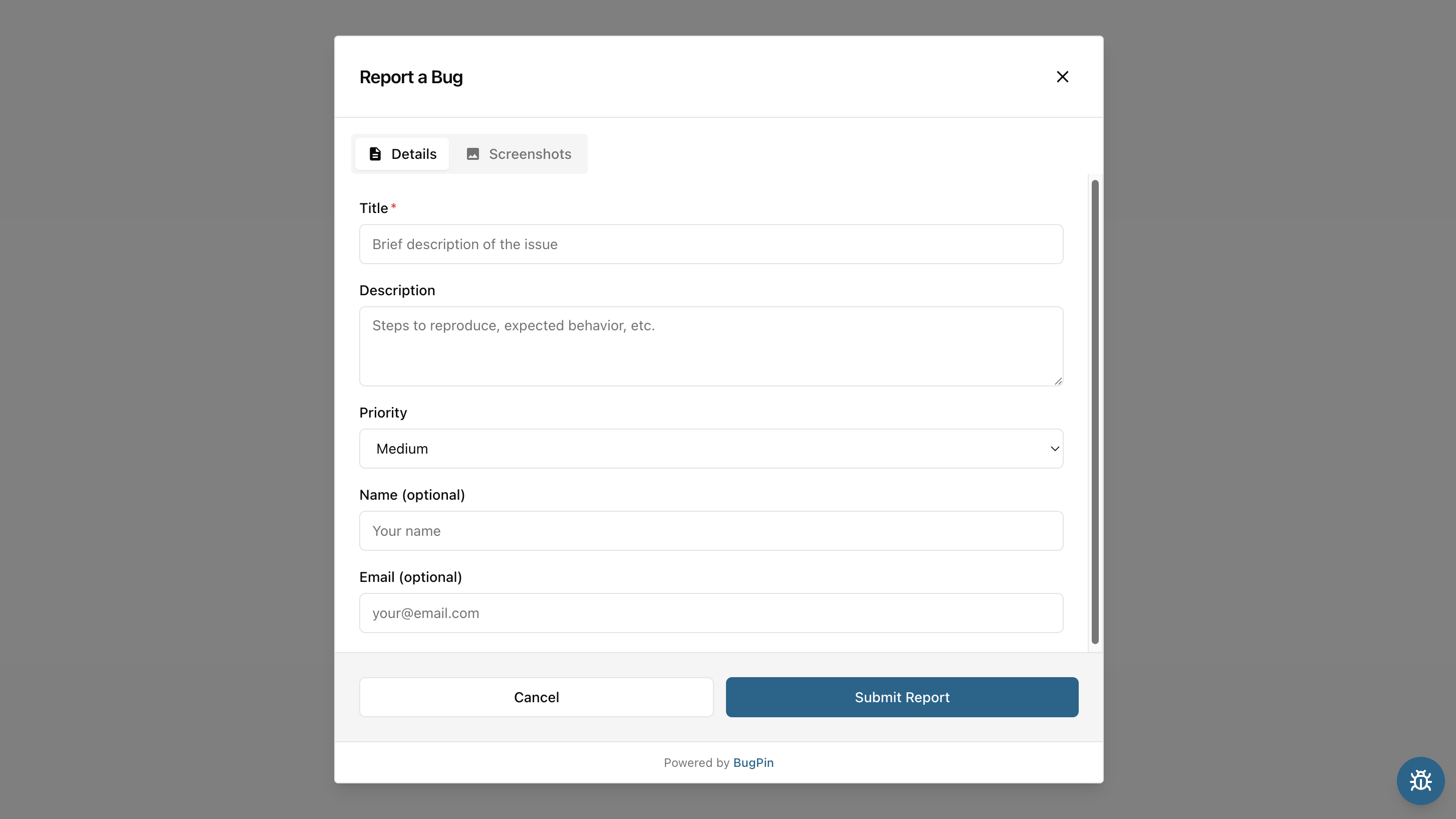
Report a Bug, Right From Your App
Users click the launcher button and fill out a form without leaving your site. No external tools, no copy-pasting URLs, no context switching. The widget adapts to your brand and respects the user's color scheme.
- Custom colors, launcher size, and button icon
- Automatically follows light and dark mode
- Details and Screenshots tabs in one form
- Optional name and email fields
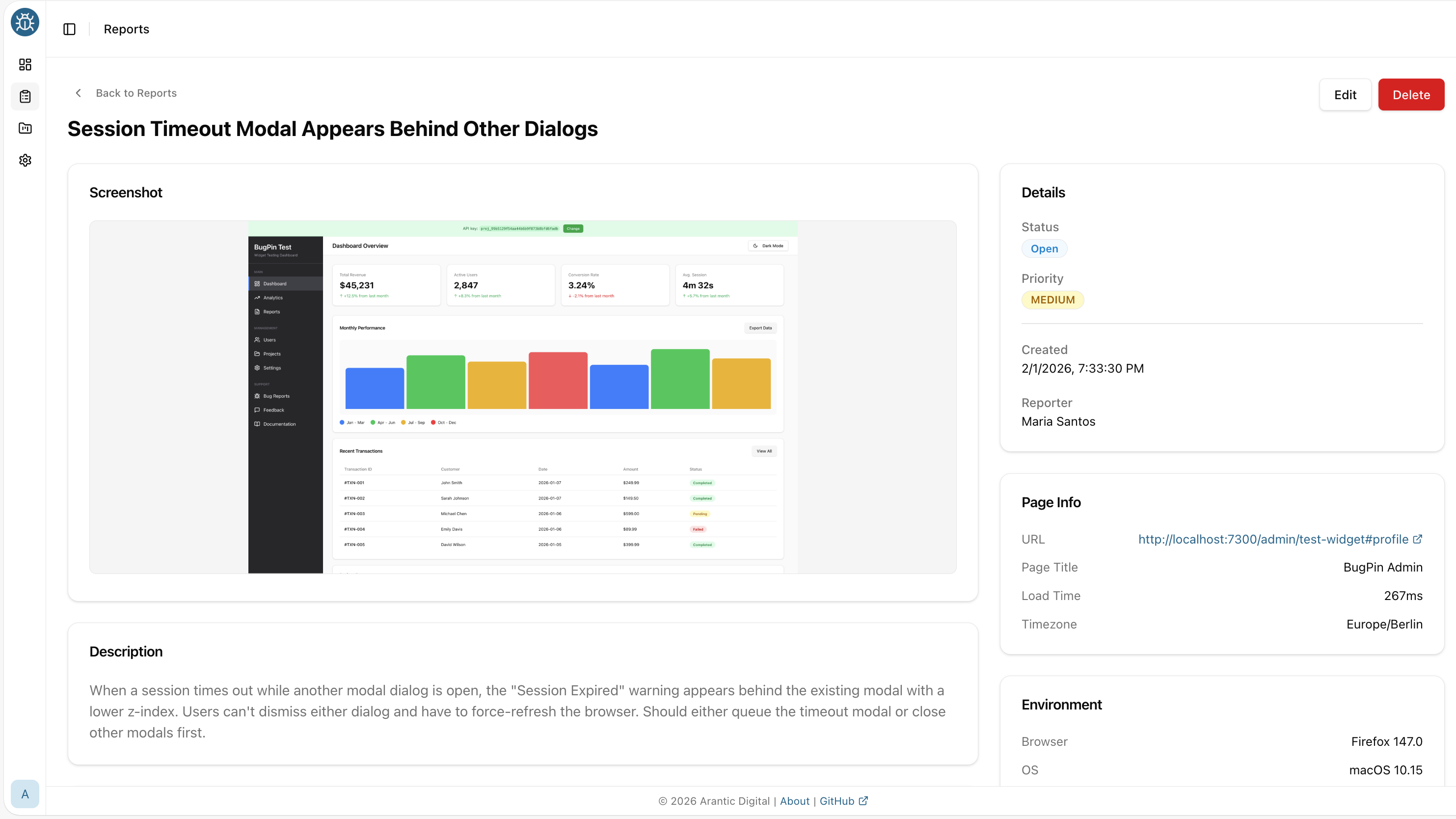
Automated Metadata Collection
Every report automatically includes rich metadata for faster debugging. Console errors, network failures, and user activity are captured without any extra effort.
- Console errors with source location
- Failed network requests (4xx, 5xx)
- Last 30 user interactions
- OS, browser, page & device metadata
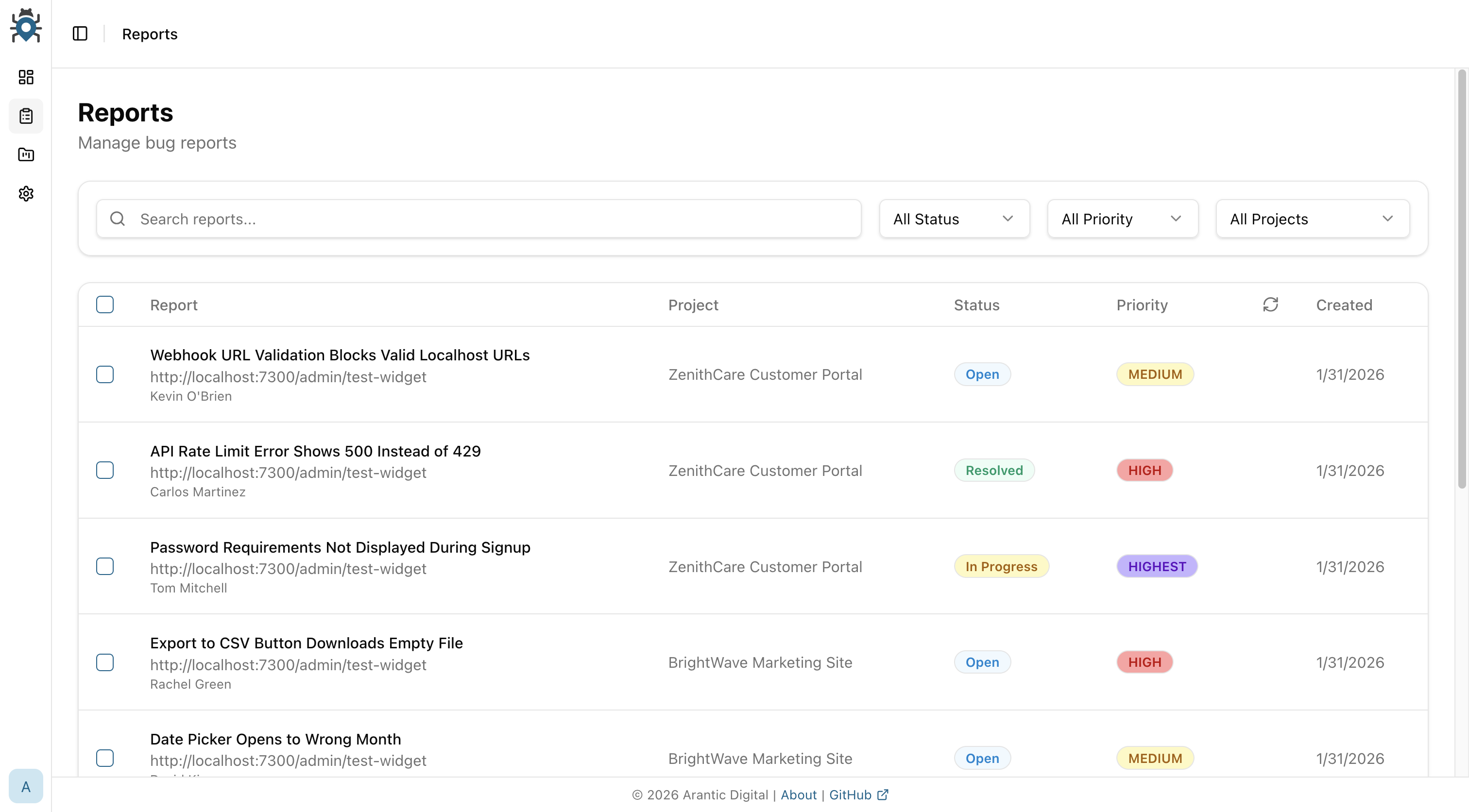
Reports with Status & Priority
Track every bug from report to resolution. Set status & priority, and filter reports to focus on what matters most.
- Status: Open | In Progress | Resolved | Closed
- Priority levels: Lowest to Highest
- Full-text search and filtering
- Bulk status and priority updates
Draw, Blur, and Label Directly on Screenshots
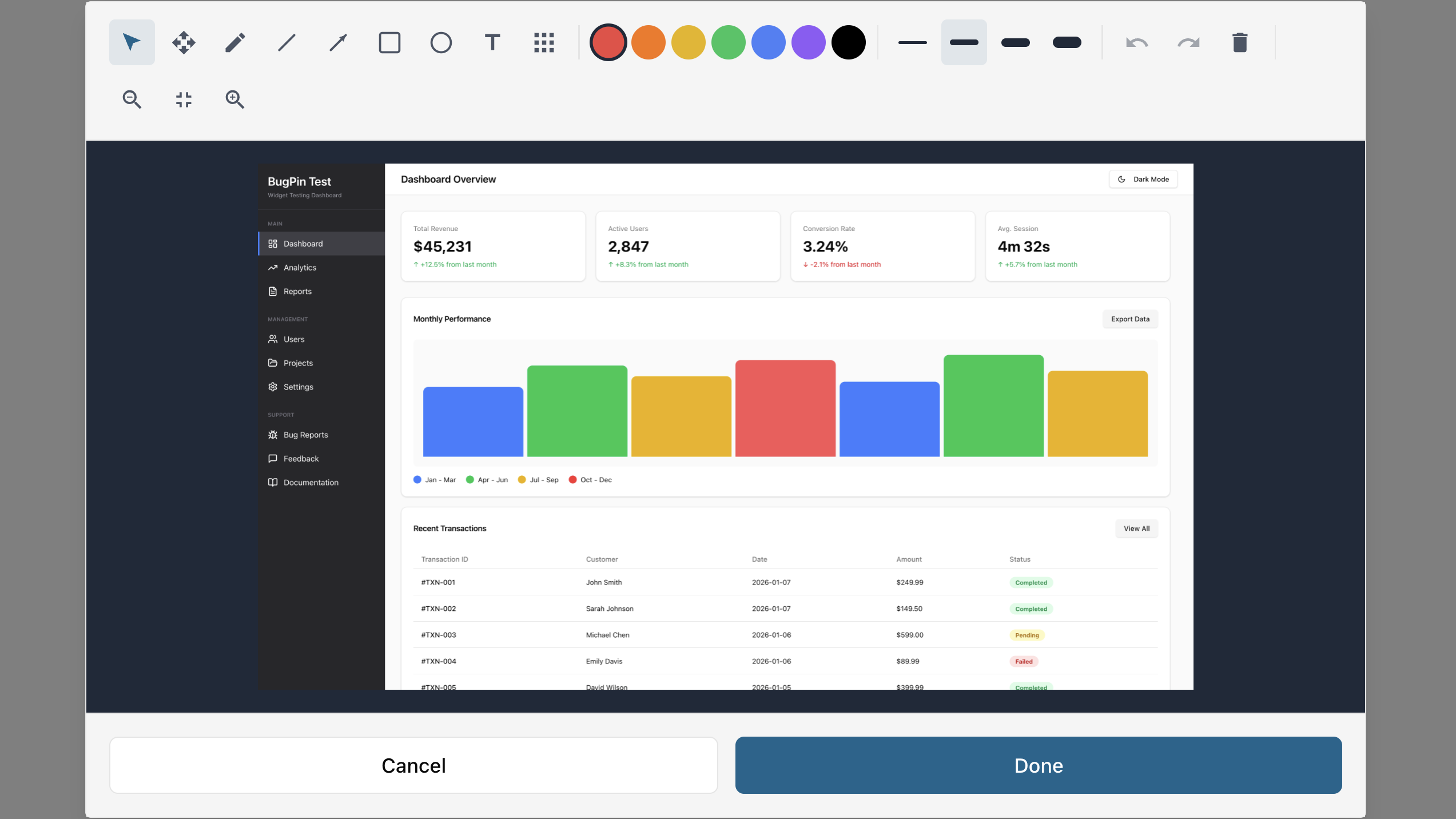
Capture full-page or visible-area screenshots and mark them up with drawing tools built for bug reports. Point to exactly what broke.
- Drawing tools: pen, rectangle, circle, arrow, text and blur
- Full-page or visible area capture
- Optional Screen Capture API support
- Privacy blur for sensitive information
Admin & Configuration
Role management, security hardening, and notification controls in one place
Role-Based Access
Admin, Editor, and Viewer roles with email invitations
Security Built-In
HTTPS/HSTS, rate limiting, bcrypt hashing, SQL injection prevention
Widget Customization
Button position, shape, colors, and dialog theme per project
Email Notifications
SMTP config with per-user and per-project preferences
GitHub Integration
Bidirectional sync with labels, assignees, and webhooks
Light & Dark Mode
Full theme support with system detection and separate color configs
Enterprise
Features for teams that need more control, integrations, and customization
Programmatic API
Full REST API with bearer tokens and scope-based permissions
Custom Webhooks
Forward reports externally with HMAC-SHA256 signatures
Custom Email Templates
Fully customizable templates with variable support and preview
S3 Storage
S3-compatible storage with migration tools and progress tracking
White-Label Branding
Custom logo, favicon, and colors for the Admin Console
SSO & Audit Logs
Single sign-on support with administrative action tracking
Built for Developers
A lightweight, framework-agnostic widget that integrates in minutes. Self-host with Docker, extend with webhooks, and customize everything.
Start Collecting Better Bug Reports
The Community Edition is free forever. Upgrade to Enterprise when you need SSO, webhooks, or white-label branding.